Tour

Every screen, one at a time.

Each image below is a capture of the built Telltale board, served by a hub in demo mode over the invented fleet of StrataForge Robotics, a fictional company. The Macs, the people, the three providers, and every number were written for the demo, and the module titles say (demo data). The board draws a dark theme only for now, so the capture the site shows in its light theme looks the same as the dark one. Nothing real was on the screen.

Illustration: an empty sailmaker's loft at night, a broad pale sail spread across a wooden floor, a coil of rope in the foreground, and one teal work lamp hanging over the sail.

The first screen

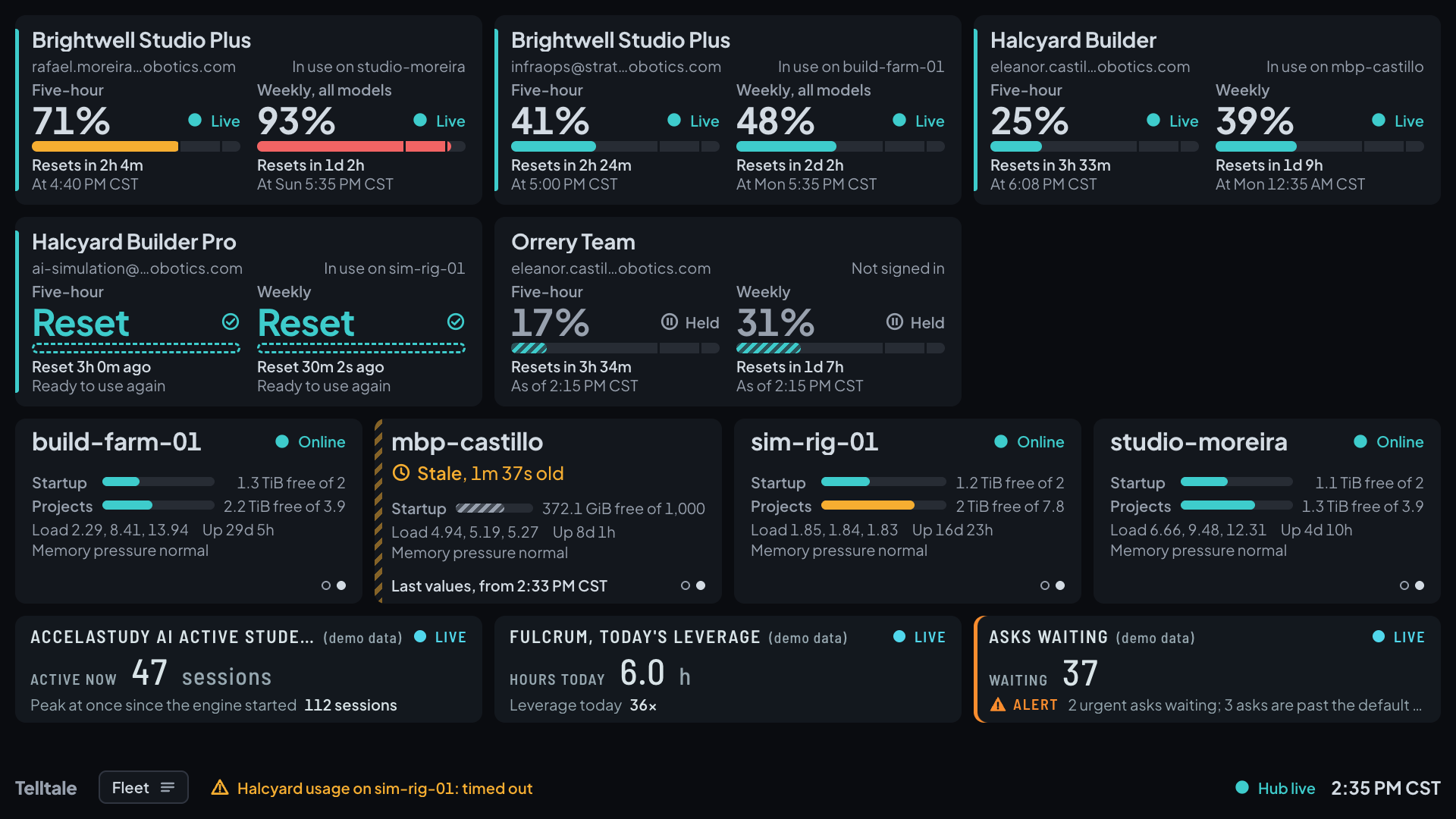
Telltale's first screen: five subscription cards with meters and countdowns to each reset, four Mac cards, and three module tiles above a status strip.Telltale's first screen: five subscription cards with meters and countdowns to each reset, four Mac cards, and three module tiles above a status strip.
Five subscription cards sit above four Mac cards and three module tiles, with the status strip under them: the dashboard's name and its picker, an alert in words, the hub lamp, and the clock. A Mac that has stopped reporting is marked Stale, a subscription that was switched away from is marked Held, and one that has reset reads Ready to use again.

A dashboard of module panels

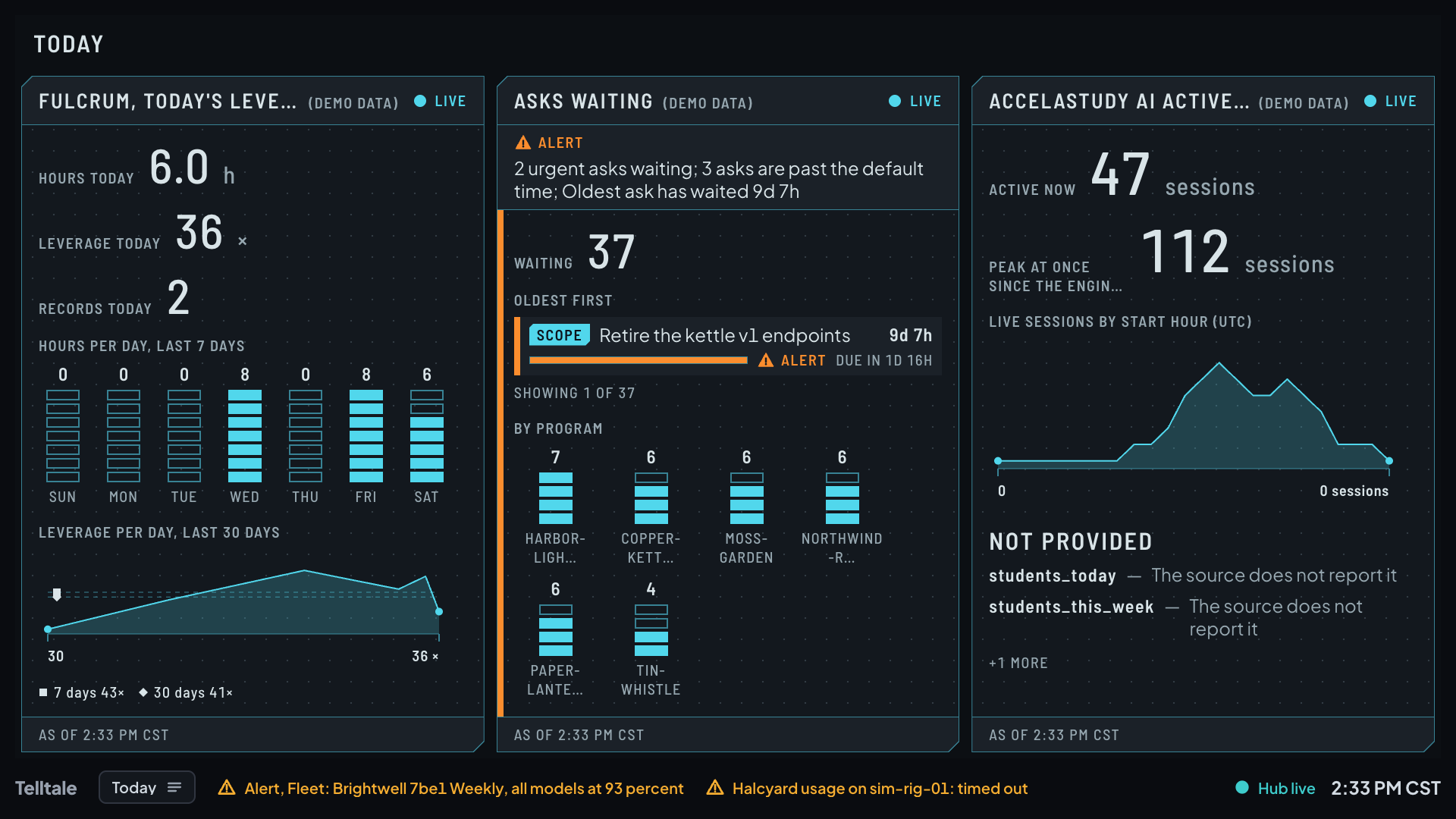
A dashboard of three module panels: hours and leverage for the day with trend charts, the asks waiting with an alert and a count by program, and active sessions with a chart by hour and a list of readings not provided.A dashboard of three module panels: hours and leverage for the day with trend charts, the asks waiting with an alert and a count by program, and active sessions with a chart by hour and a list of readings not provided.
Three panels take the whole screen: a day's hours and leverage with seven and thirty days of trend, the asks waiting with an alert in words and a count by program, and the active sessions by course and by hour. The panel on the right lists what its source did not provide.

A large card for a subscription

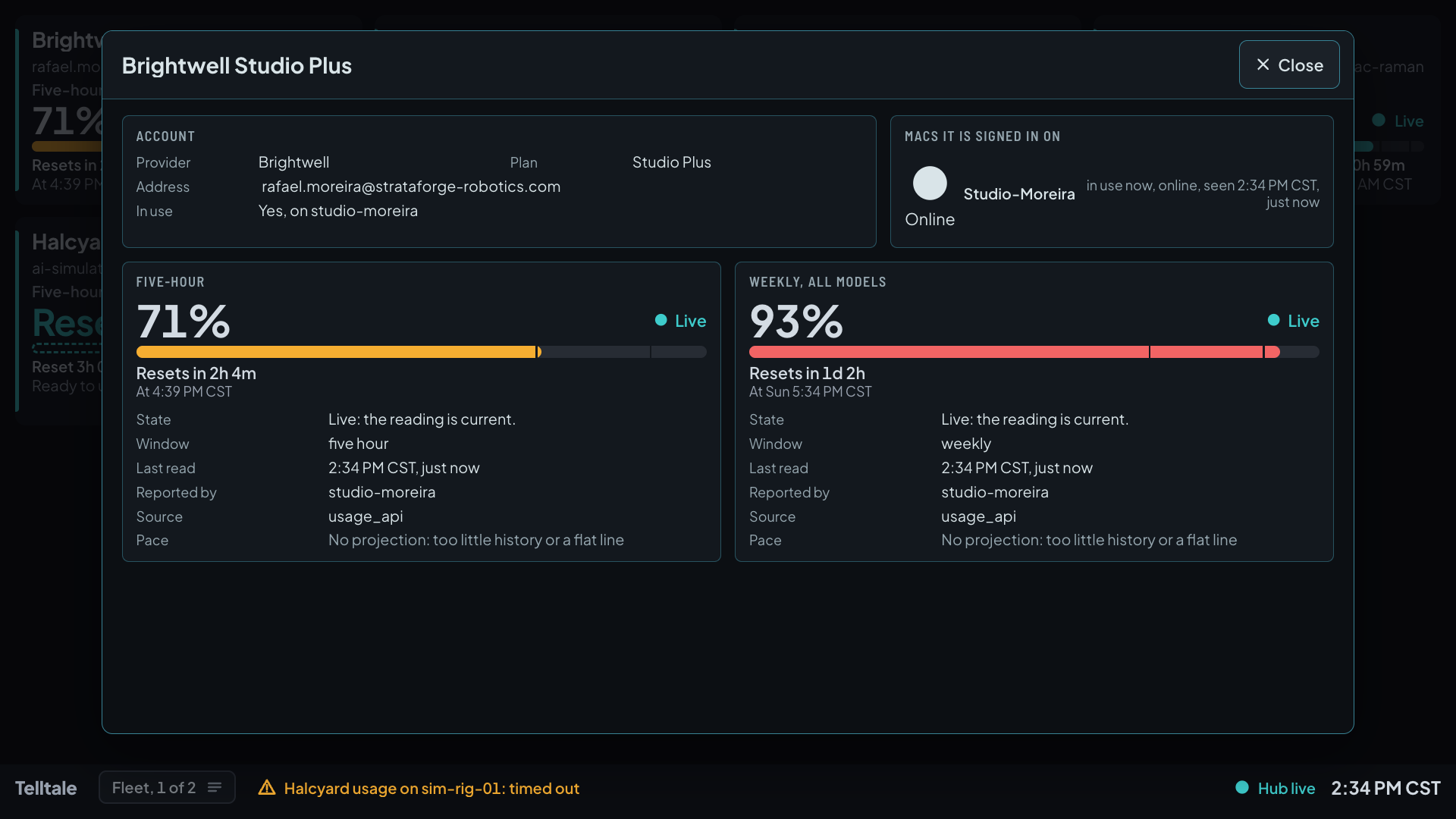
A large card for one subscription over the shaded board: its account and plan, the Mac it is signed in on, and two limits with a meter, a countdown, and a table of state, window, last read, reporter, source, and pace.A large card for one subscription over the shaded board: its account and plan, the Mac it is signed in on, and two limits with a meter, a countdown, and a table of state, window, last read, reporter, source, and pace.
A tap on a subscription card opens a large card over a shaded board: the account, the plan, the Macs it is signed in on, and for each limit its percent, state, countdown, window, last read, which Mac reported it, its source, and its pace.

A large card for a Mac

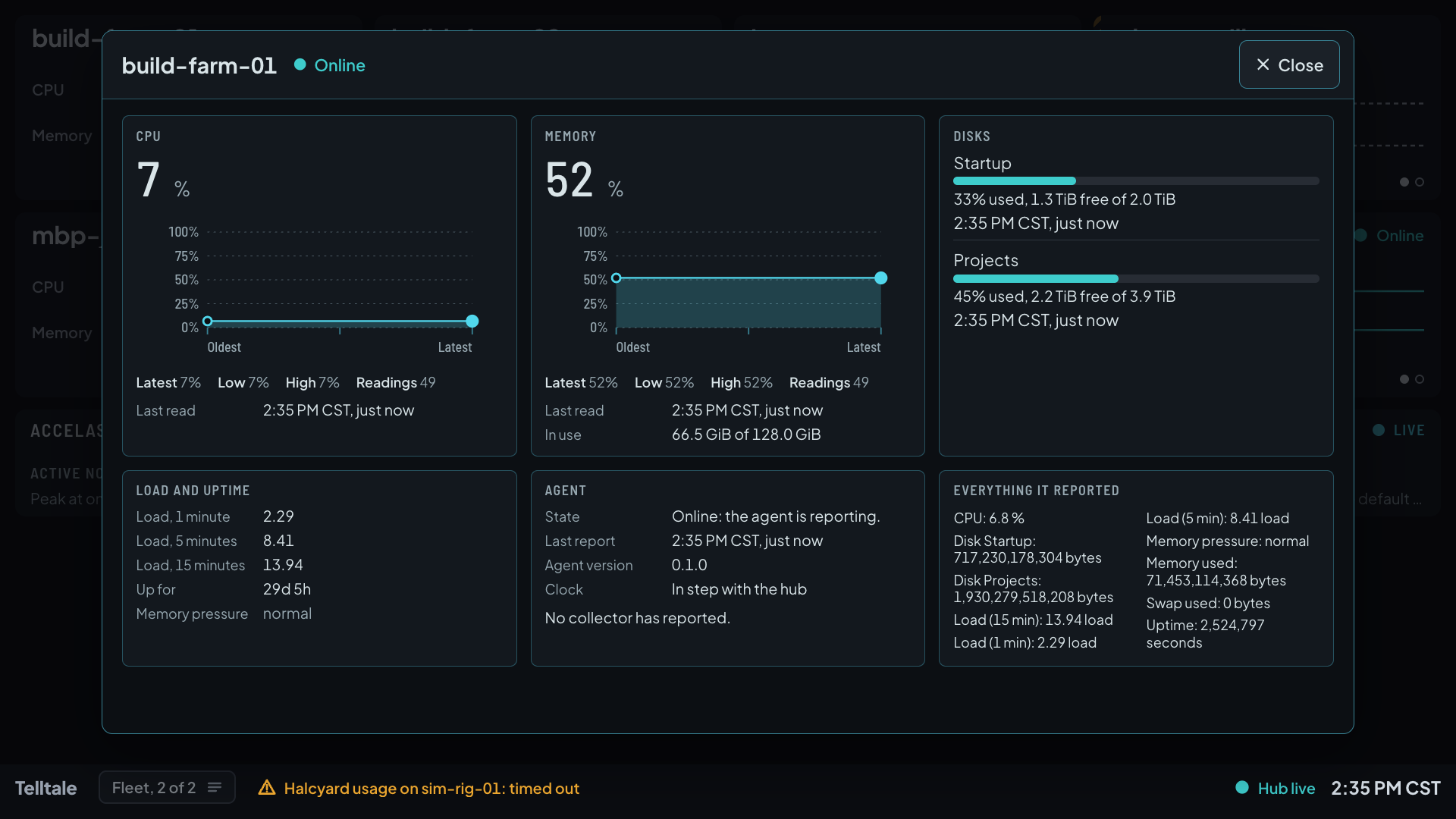
A large card for one Mac over the shaded board: CPU and memory history charts with latest, low, and high values, two disks, load and uptime, the agent's state and version, and a list of everything the Mac reported.A large card for one Mac over the shaded board: CPU and memory history charts with latest, low, and high values, two disks, load and uptime, the agent's state and version, and a list of everything the Mac reported.
A tap on a Mac card opens its history: CPU and memory with the latest, lowest, and highest values, each disk with its free space, the load averages and uptime, the agent's state and version, and everything the Mac reported.

The dashboard picker

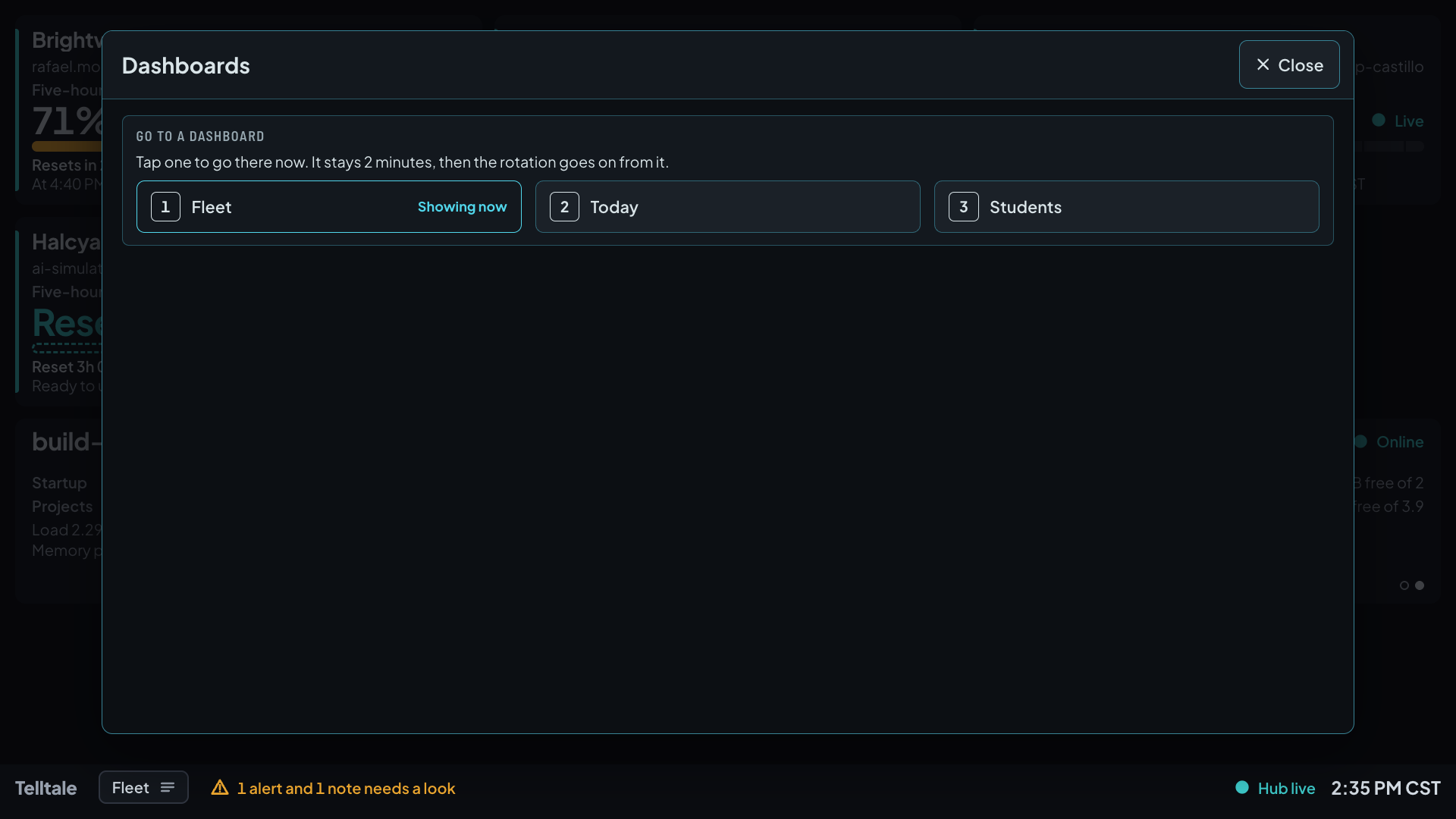
The dashboard picker over the shaded board: three dashboards in a row, Fleet marked as showing now, then Today and Students, under a line that says a pick stays 2 minutes.The dashboard picker over the shaded board: three dashboards in a row, Fleet marked as showing now, then Today and Students, under a line that says a pick stays 2 minutes.
The strip at the bottom names the dashboard on show. Tapping it lists every dashboard; tapping one goes there and holds for 2 minutes, then the rotation goes on from it.

The date and time screen

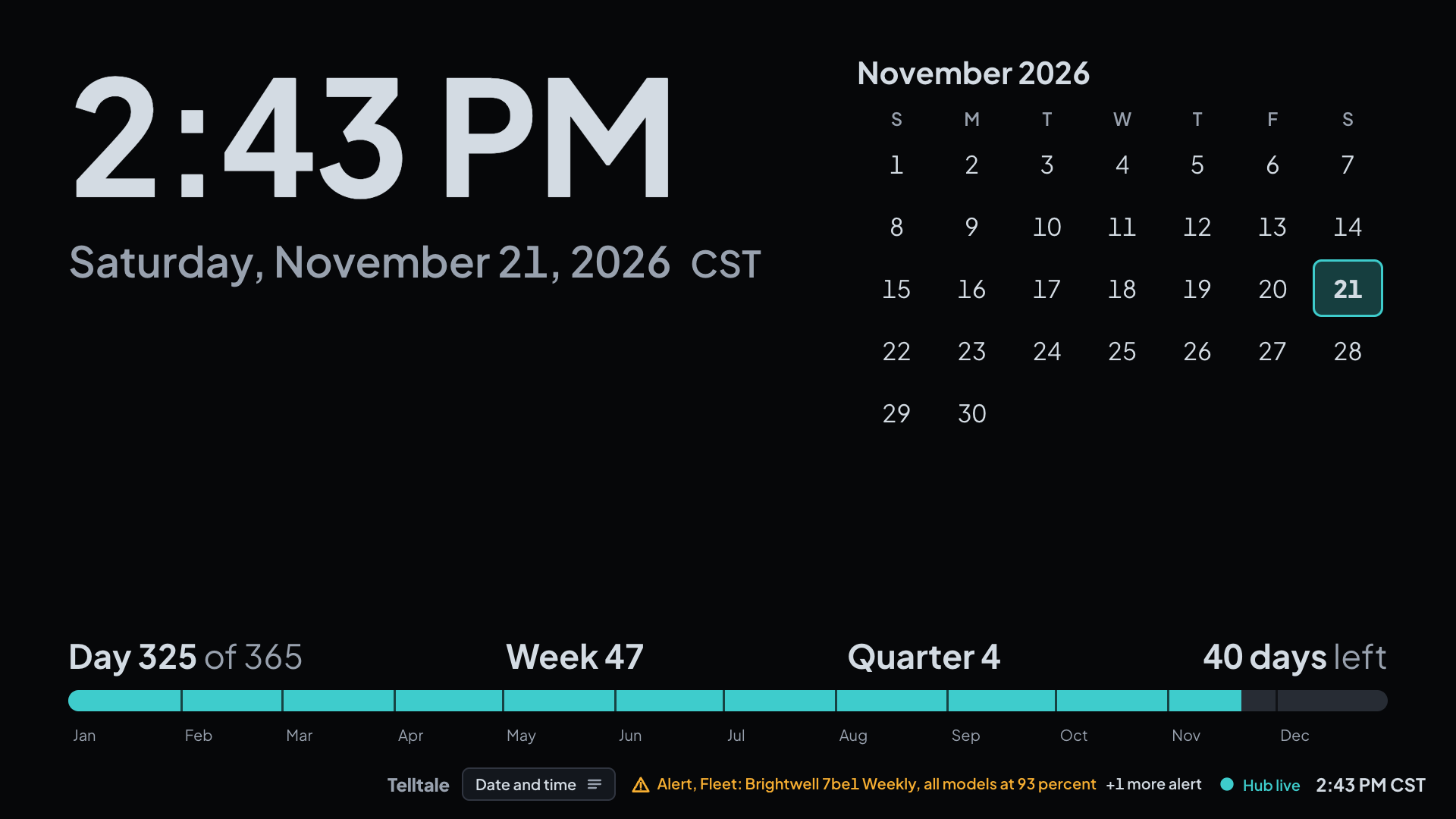
The date and time screen: the time very large, the weekday and date, a month calendar with today marked, and the day's place in the year, with a small strip of the hub lamp and the clock.The date and time screen: the time very large, the weekday and date, a month calendar with today marked, and the day's place in the year, with a small strip of the hub lamp and the clock.
Now and then the board gives its whole screen to the date: the time very large with its zone, the weekday and date, the month calendar with today marked, and the day's place in the year. The strip with the hub lamp and the clock stays over it, and an alert or a quiet hub ends it at once.